


Smart Money Concepts Radar Guide
العربيةLearn how the radar labels market-structure changes, liquidity events, order blocks, and fair value gaps.
What the Smart Money Concepts Radar does
Tracking important swings and zones across many stocks is difficult. This radar organizes SMC observations such as structure breaks, liquidity sweeps, Order Blocks, and Fair Value Gaps to help you choose charts for review. These are rule-based descriptions of price, not evidence of institutional identity or intent.
The useful question is not whether a label sounds institutional, but whether the marked swing, sweep, zone, and invalidation are visible and relevant on the chosen timeframe.
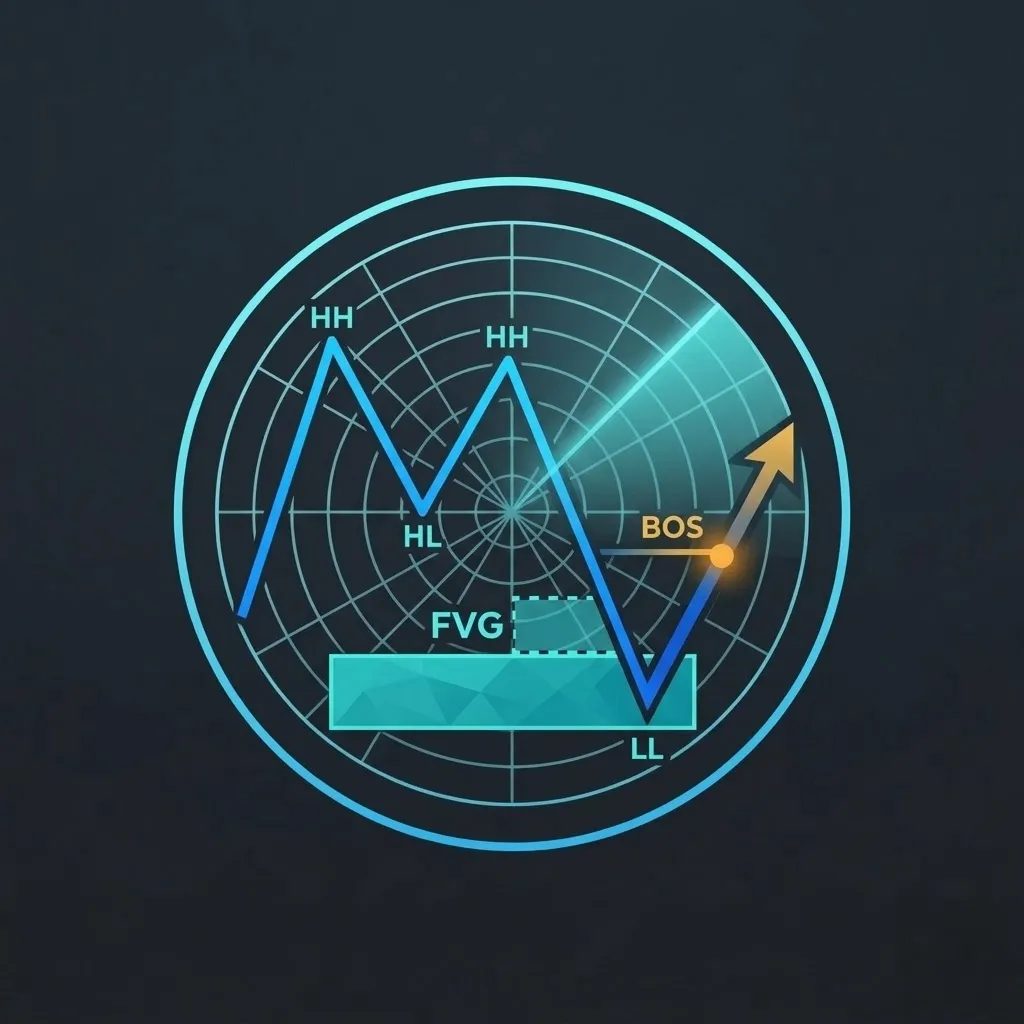
Signal states and concepts
Break of structure
Price has crossed a configured prior swing in the direction used by the scanner. Verify the swing definition and whether the close completed the break.
Change of character
Price has crossed a structural point that may conflict with the prior sequence. It is an early structural observation, not proof of a new trend.
Liquidity sweep
Price traded beyond a configured high or low and then reacted. The label describes price action; it does not prove who traded there.
Order block or FVG area
The scanner marks a zone derived from prior candles or an imbalance rule. Zones can be revisited, crossed, or invalidated.
How to read the main fields
| Field | What it describes | What to verify |
|---|---|---|
| Bias and timeframe | The scanner direction and interval for the observation. | Confirm the swing sequence on that exact timeframe and compare higher-timeframe context separately. |
| Structure event | The BOS, CHoCH, or other configured structural label. | Locate the broken swing and verify whether the event used a wick or close. |
| Liquidity swept | The high or low the scanner considers taken. | Check the reaction after the sweep and whether the level was structurally meaningful. |
| Point of interest | The identified order-block, imbalance, or related zone. | Inspect zone width, freshness, repeated tests, and current distance. |
| Plan levels and score | Generated entry, invalidation, target, risk/reward, or component context where available. | Recalculate from current price and visible structure; generated levels can become stale. |
A disciplined review workflow
- Select the primary timeframe and map its sequence of highs and lows before reading labels.
- Locate the exact structural break or sweep and note whether it occurred by wick or close.
- Inspect the point-of-interest zone, its age, tests, width, and distance from current price.
- Compare higher-timeframe direction, volume, liquidity, and scheduled events without mixing horizons.
- Recalculate invalidation and risk/reward using current information; reject any stale or impractical plan.
What strengthens or weakens the observation
Useful supporting context
- A clean swing sequence and structural event visible without forcing the labels.
- A reaction from a fresh zone after a clearly defined sweep or break.
- Higher-timeframe context that is understood and compatible with the intended horizon.
- Current price close enough to the mapped zone for risk to remain measurable.
Reasons to slow down
- Assuming the word smart money proves institutional participation.
- A zone that has been crossed or tested repeatedly without response.
- Conflicting structure labels caused by mixing several timeframes.
- Using old generated entry, stop, or target values after price has moved.
Limitations and false signals
- Swing, structure, and zone definitions depend on configured rules and sensitivity.
- Several valid-looking zones can coexist and the scanner cannot know which will matter later.
- Liquidity sweeps and imbalances can fail or be traversed without reaction.
- Risk/reward calculations describe geometry, not the probability of reaching a target.
SMC observations are analytical annotations, not evidence of participant intent and not a recommendation. Verify structure and current levels independently before considering any risk.
Order Block, FVG, and displacement
An Order Block marks a candle area before a strong move according to the radar's rules. An FVG marks a price gap between the surrounding candles, not a promise that price must return to fill it. A displacement candle describes a strong directional move. Compare the zone's width, age, retests, and nearby levels before relying on it.
SMC signal names and plan levels
SMC_SETUP combines the available setup conditions. SMC_BOS highlights a structure break, SMC_LIQUIDITY_SWEEP a liquidity-sweep observation, and SMC_ORDER_BLOCK an Order Block observation. Read the type rather than assuming every row is a complete setup. Entry, stop, Target 1, and Target 2 are reference levels when supplied; recalculate the distances from the current price. A favorable reward/risk ratio does not measure the probability of reaching either target.
What contributes to the SMC score?
Read the available components for higher-timeframe alignment, the structure event, the liquidity sweep, price at an interest zone, and volume. Their total helps compare setups. Volume describes observed activity and does not prove institutional participation; do not confuse a component weight with a probability of reaching a target.
Page components explained
Narrow the signals
Filter by stock, period, price or the available signal criteria. Start broad and add conditions gradually. The timeframe belongs to the signal, while the date range controls when signals appeared.
Period, timeframe and direction
Use the period to choose recent or older signals, the timeframe to choose the candle scale, and direction to separate bullish and bearish readings. These settings answer different questions.
Read the signal list
Start with symbol, signal time and timeframe, then read direction and the radar-specific details. Open a signal to inspect it on the chart. Scores are ranking aids, not measured win probabilities.
Saved signals and watchlists
Favorites retain specific signals for review. A watchlist tracks stocks and can include many signals for each one. Check which control you are using before narrowing the list.
Supporting context
These switches keep signals with the selected news, block-volume, compliance or options context. Presence of extra information is not proof that the signal is stronger or that all sources agree.
Inspect a signal
Compare the signal marker with the price at that time and the moves that followed. Confirm the timeframe and timestamp. A historical chart shows what happened; it does not guarantee the next signal will behave the same way.
Automatic refresh
Refresh checks for new readings. It does not make an old source current. Check the reading's timestamp and any warning before using it.
Language
Use the flag to switch the interface language. Check the currency shown on subscription and payment pages after changing language; trading symbols keep their original spelling.
Light and dark mode
Choose the appearance that makes text and chart details comfortable to read. Changing the theme affects the display, not the underlying data or signals.
Page layout
Use this control to change the available page layout. It changes how much space the interface uses, not the meaning of the displayed values.
Fullscreen
In the signed-in app, expand the site to gain more room for charts and tables. Use the control again or Escape to leave browser fullscreen.
Notification bell
Review recent notifications and their timestamps here. The badge counts unread notifications; it is not a count of unreviewed trading opportunities. Delivery channels and rules are managed in alert subscriptions.
Account menu
Open account settings, subscription details and other personal links here. Use sign out when you finish on a shared device.